Essential Computer Accessories for Your Home Office

Updated: 13 hours ago
Creating an efficient and comfortable home office is crucial for productivity and well-being. While a computer is the centerpiece of your workspace, the right accessories can significantly enhance your experience. In this blog post, we will explore essential computer accessories that can transform your home office into a more functional and enjoyable environment.
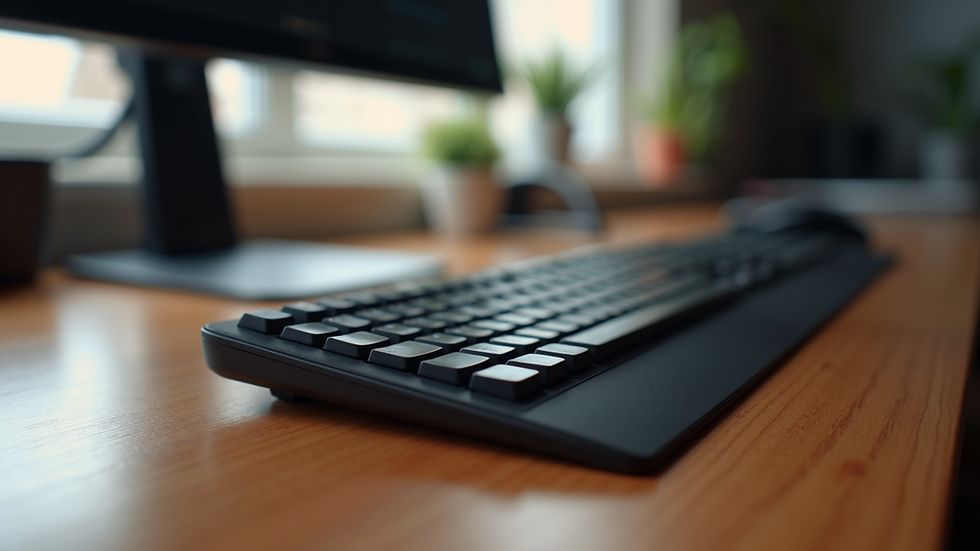
Ergonomic Keyboards
An ergonomic keyboard is designed to reduce strain on your wrists and hands while typing. Traditional keyboards often lead to discomfort, especially during long hours of work. Here are some benefits of using an ergonomic keyboard:
Improved Comfort: The design promotes a more natural hand position, reducing the risk of repetitive strain injuries.
Increased Productivity: With less discomfort, you can focus better on your tasks.
Variety of Options: Ergonomic keyboards come in various styles, including split keyboards and those with wrist rests.
When choosing an ergonomic keyboard, consider factors such as key layout, size, and additional features like backlighting or programmable keys.
High-Quality Mouse
A good mouse is just as important as a keyboard. A high-quality mouse can improve your navigation speed and accuracy. Here are some features to look for:
Ergonomic Design: Like keyboards, mice come in ergonomic designs that fit comfortably in your hand.
Adjustable DPI Settings: This allows you to change the sensitivity of the mouse, making it easier to navigate large screens or detailed graphics.
Wireless vs. Wired: Wireless mice offer more freedom of movement, while wired mice can provide a more stable connection.
Investing in a quality mouse can make a significant difference in your daily tasks.
Monitor Stand
A monitor stand can help you achieve the ideal viewing height for your screen, which is essential for maintaining good posture. Here’s why a monitor stand is a must-have:
Improved Posture: Keeping your monitor at eye level helps prevent neck and back strain.
Increased Desk Space: Many monitor stands come with additional storage options, allowing you to declutter your workspace.
Adjustable Height: Some stands are adjustable, enabling you to customize the height according to your needs.
When selecting a monitor stand, consider the size of your monitor and the overall aesthetic of your workspace.
Noise-Canceling Headphones
In a home office, distractions can be a significant barrier to productivity. Noise-canceling headphones can help you focus by blocking out background noise. Here are some advantages:
Enhanced Concentration: By reducing ambient noise, you can immerse yourself in your work.
Comfortable Fit: Look for headphones with adjustable headbands and cushioned ear cups for extended wear.
Wireless Options: Wireless noise-canceling headphones offer the freedom to move around without being tethered to your computer.
Investing in a good pair of noise-canceling headphones can create a more peaceful work environment.
Desk Organizer
A cluttered desk can lead to a cluttered mind. A desk organizer helps keep your workspace tidy and efficient. Here’s what to consider:
Multiple Compartments: Look for organizers with various sections to store pens, notepads, and other essentials.
Material: Choose a material that complements your office decor, whether it’s wood, metal, or plastic.
Size: Ensure the organizer fits your desk space without overwhelming it.
A well-organized desk can boost your productivity and make it easier to find what you need.
Adjustable Desk
An adjustable desk allows you to switch between sitting and standing positions throughout the day. This flexibility can lead to numerous health benefits:
Reduced Back Pain: Alternating between sitting and standing can alleviate discomfort associated with prolonged sitting.
Increased Energy Levels: Standing while working can help you feel more alert and engaged.
Customizable Height: Many adjustable desks can be easily modified to suit your height preferences.
When selecting an adjustable desk, consider the range of height adjustments and the stability of the desk when in use.
Quality Webcam
With remote work becoming more common, a quality webcam is essential for virtual meetings. Here’s what to look for:
High Resolution: Aim for at least 1080p resolution for clear video quality.
Built-in Microphone: A good microphone can enhance audio quality during calls.
Adjustable Mounting Options: Ensure the webcam can be easily positioned for the best angle.
A reliable webcam can improve your online communication and make a positive impression during virtual meetings.
Cable Management Solutions
Cables can quickly become a tangled mess in a home office. Implementing cable management solutions can help keep your workspace organized. Here are some options:
Cable Clips: These can be attached to your desk to keep cables in place.
Cable Sleeves: Use these to bundle multiple cables together for a cleaner look.
Cable Boxes: These can hide power strips and excess cables, reducing visual clutter.
Effective cable management not only enhances the aesthetics of your workspace but also prevents accidents.
Task Lighting
Proper lighting is crucial for reducing eye strain and creating a comfortable work environment. Task lighting can help illuminate your workspace effectively. Consider these factors:
Adjustable Brightness: Look for lamps with adjustable brightness levels to suit different tasks.
Color Temperature: Choose lights that mimic natural daylight to enhance focus and reduce fatigue.
Design: Select a lamp that complements your office decor while providing adequate lighting.
Investing in good task lighting can significantly improve your work experience.
Comfortable Chair
A comfortable chair is one of the most important accessories for your home office. Spending long hours sitting can lead to discomfort and health issues. Here’s what to consider:
Adjustability: Look for chairs that allow you to adjust height, armrests, and lumbar support.
Material: Choose breathable materials that provide comfort during extended use.
Support: A chair with good lumbar support can help maintain proper posture.
A quality office chair can make a significant difference in your overall comfort and productivity.
Conclusion
Creating an efficient home office involves more than just a computer. By investing in essential accessories like ergonomic keyboards, high-quality mice, and comfortable chairs, you can enhance your workspace significantly. Remember to consider your personal needs and preferences when selecting these items. With the right tools, you can create a productive and enjoyable work environment that supports your success.
Take the time to evaluate your current setup and consider which accessories could improve your home office experience. Whether it’s upgrading your keyboard or implementing better cable management, small changes can lead to significant improvements in your daily work routine.
Comments